Nano Banana Image-to-Image AI Generator
Edit any photo with plain English: style transfer, background change, object tweaks — in seconds.
Try 1 free generation — sign up optional. Sign up to get 3 more free credits.
Try Image-to-Image Now
Upload your image and describe the transformation you want. Try 1 free generation — sign up optional.
Your image will appear here
Upload an image and describe your changes to get started
Want more features? Try the full editor
See Nano Banana Img2Img in Action
Cinematic Variation
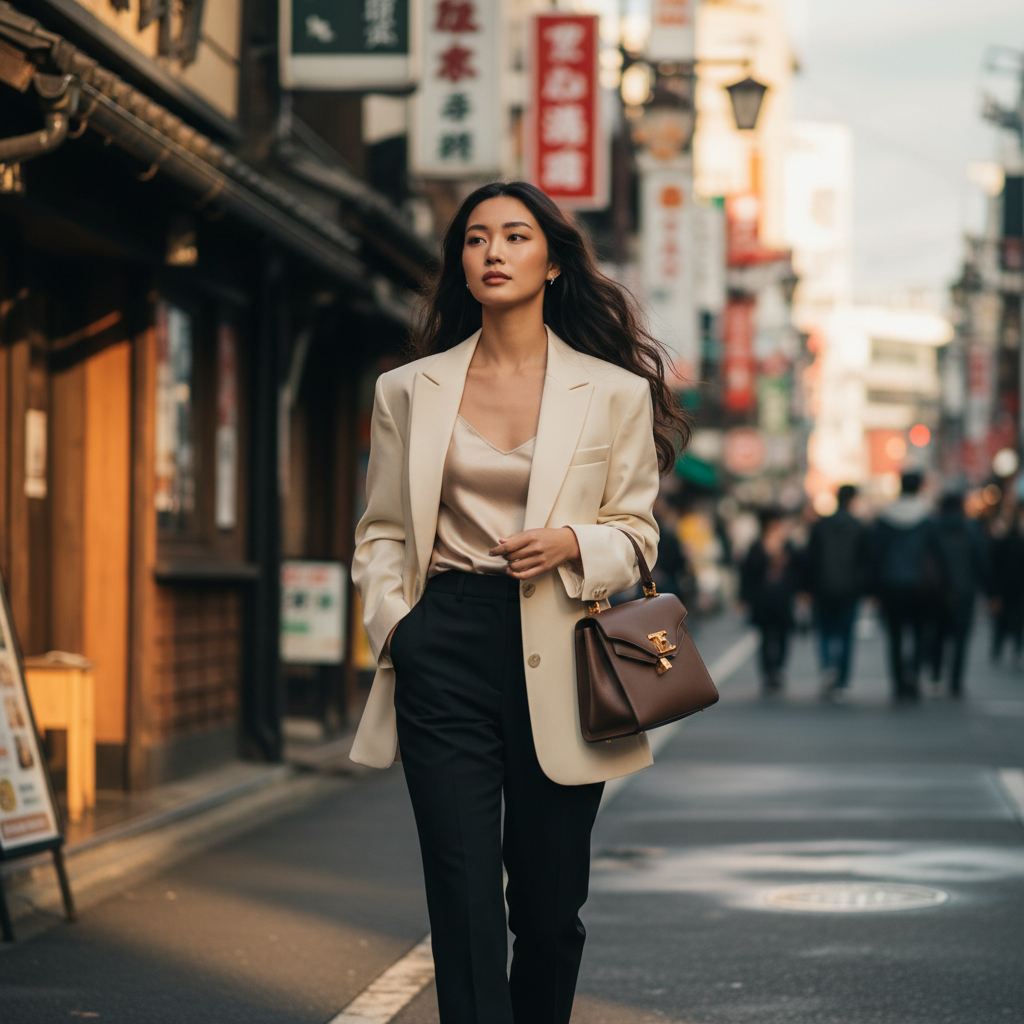
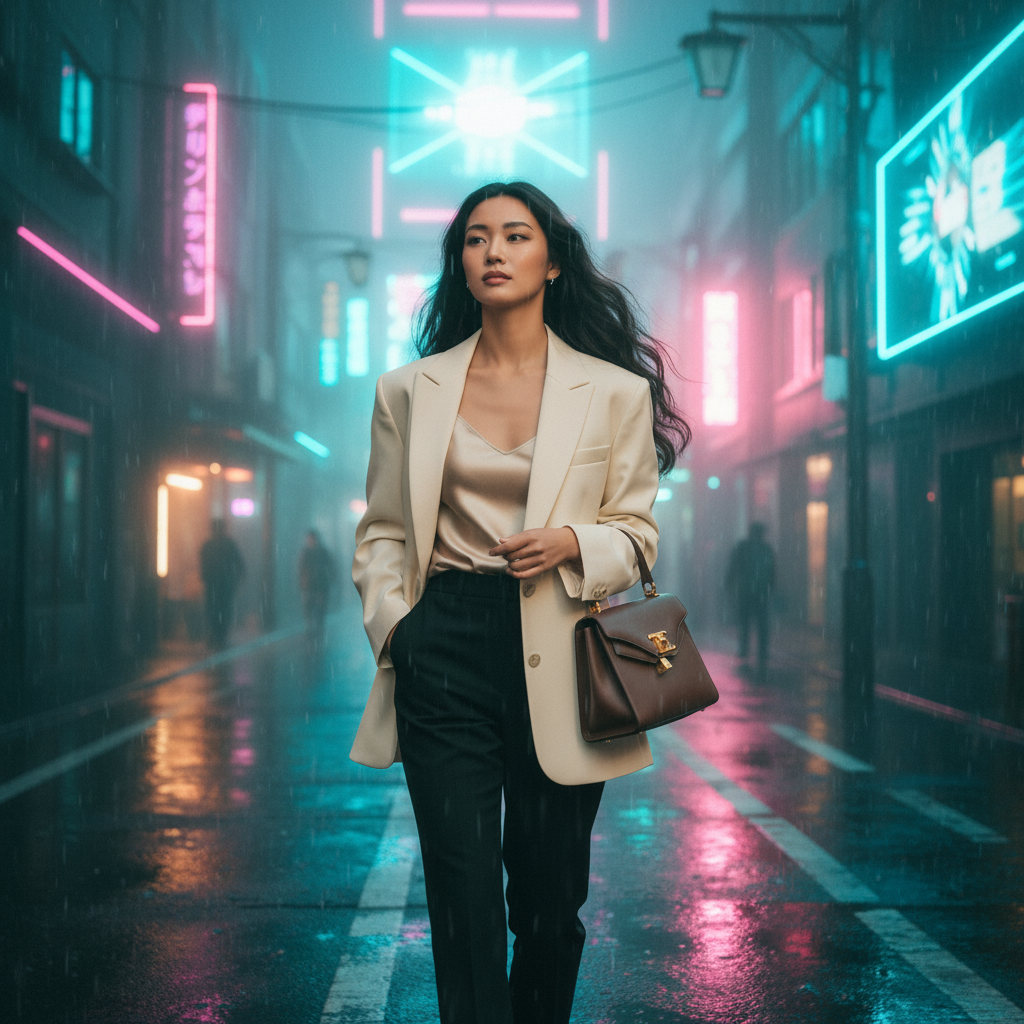
Cinematic night scene with neon city reflections. Keep the same person, pose, and composition. Add dramatic lighting with cyan and magenta tones. Wet street reflections, bokeh lights in background. No text.
Background Swap
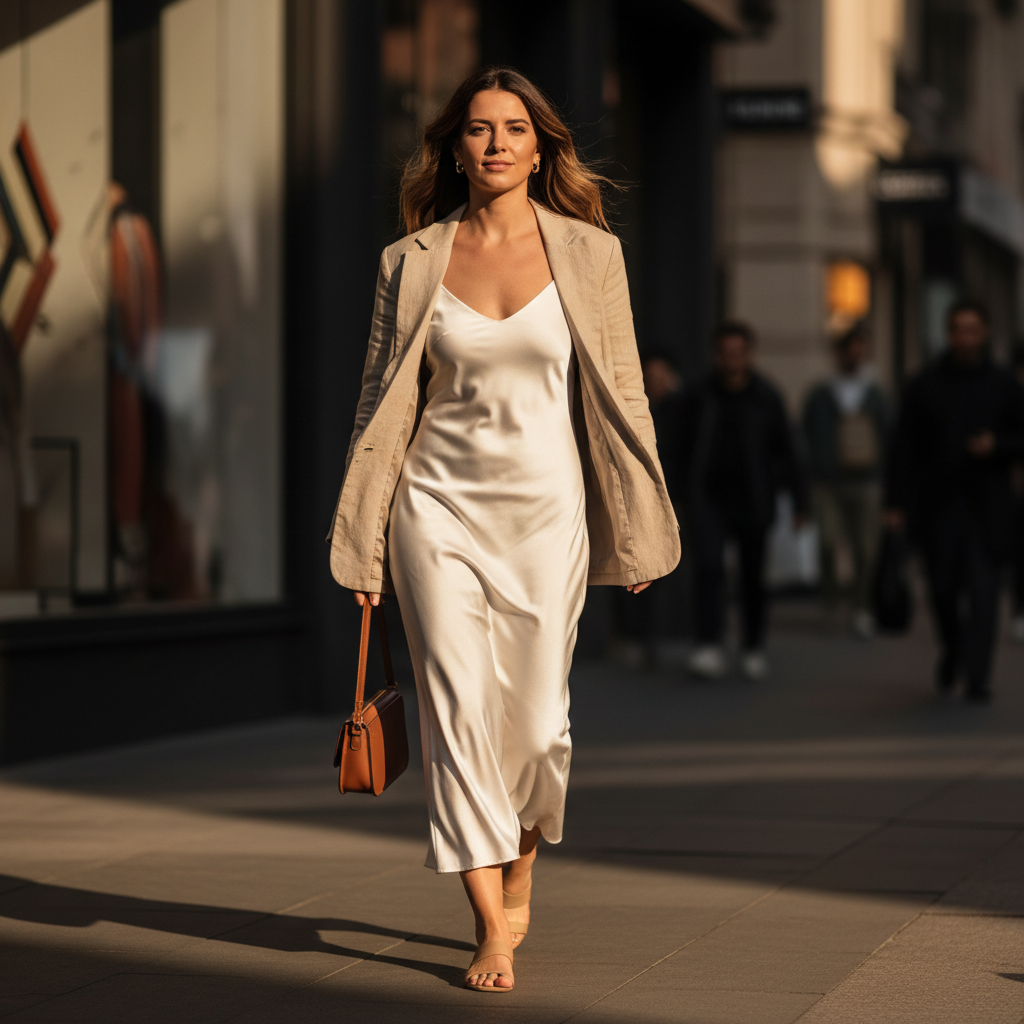
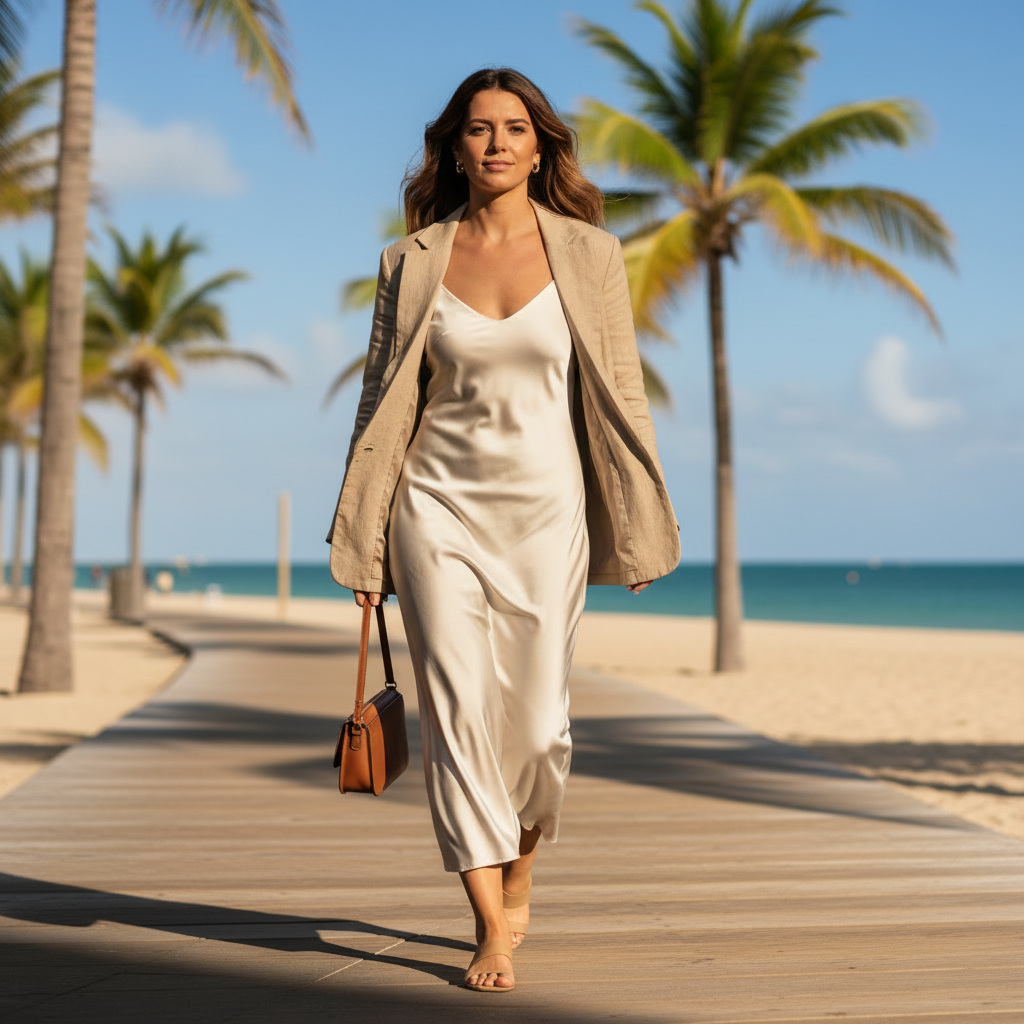
CRITICAL: Keep the subject EXACTLY the same (face identity, hair, skin tone, expression, body proportions, pose/walking posture, clothing, bag, and camera framing). Do not change the subject at all. ONLY CHANGE: Replace the background with a sunny beach boardwalk scene: wooden boardwalk leading into the distance, palm trees, bright blue sky, ocean visible, warm natural sunlight. LIGHTING MATCH: Ensure the subject lighting matches the beach scene (same sun direction, color temperature, and shadow strength). Add a subtle natural ground shadow consistent with the boardwalk. EDGE BLENDING: Clean, realistic edges around hair and clothing (no cutout look, no halos). Keep fine hair strands. DEPTH: Match depth-of-field so subject and background feel like the same photo (consistent blur and perspective). No text, no watermark, no extra people added.
Outfit Change
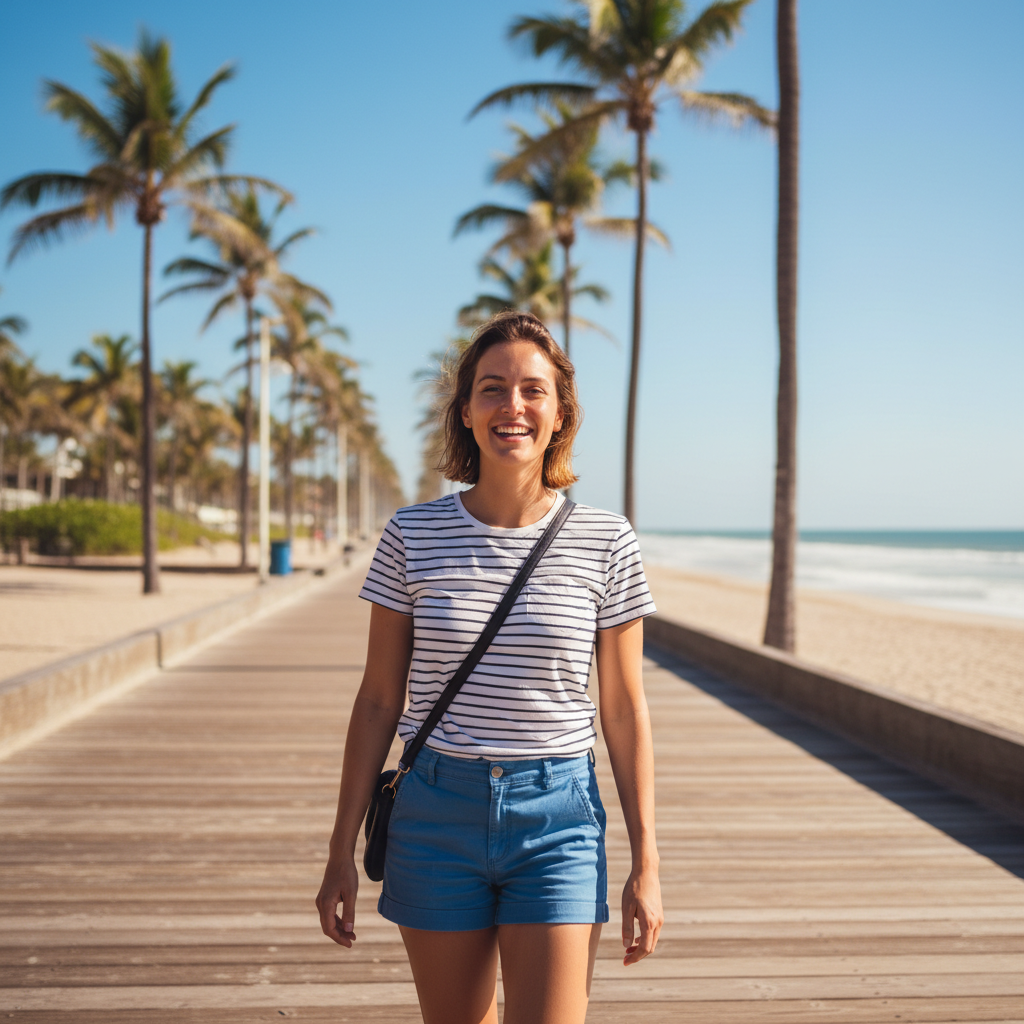
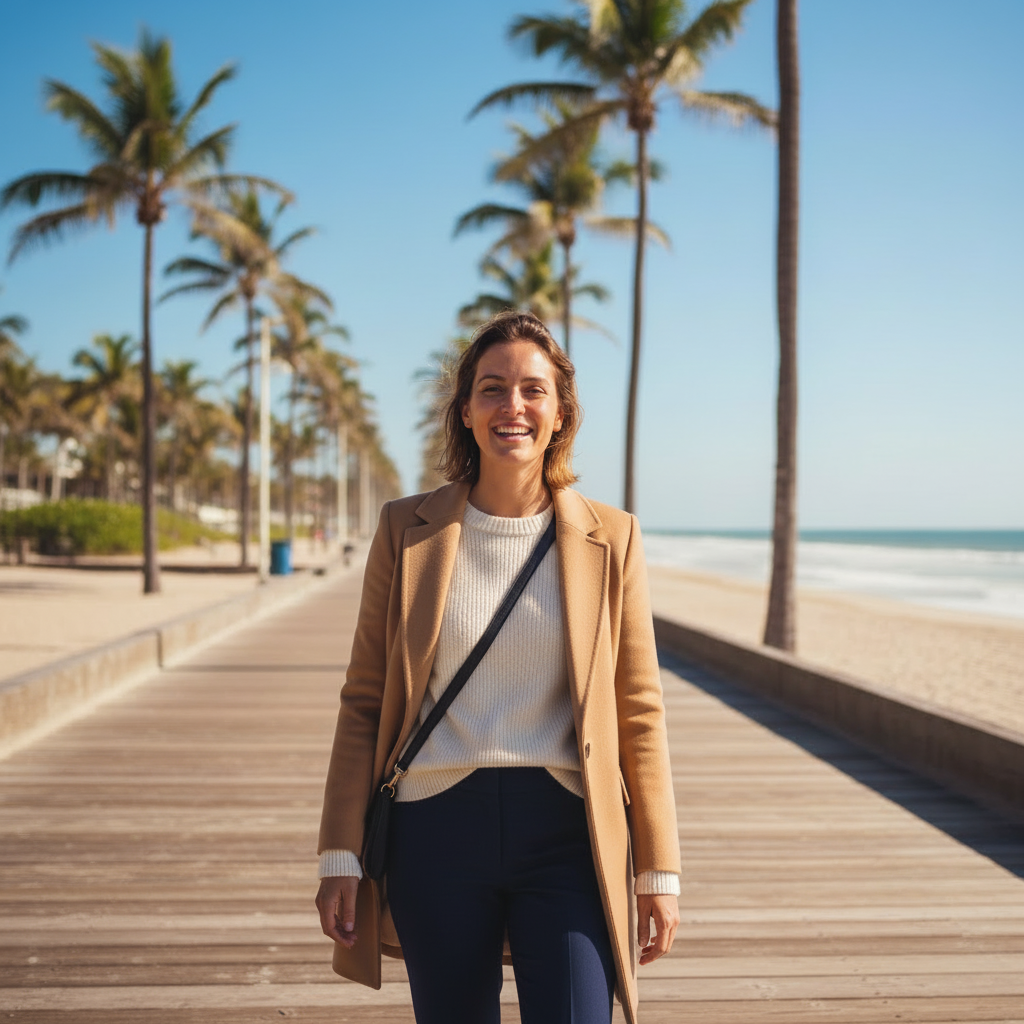
CRITICAL: Keep the subject EXACTLY the same (face identity, hair, skin tone, expression, body proportions, pose, and camera framing). Keep the background EXACTLY the same (same beach boardwalk, palm trees, sky, ocean). Keep the bag EXACTLY the same. ONLY CHANGE: Replace the clothing with a quiet luxury "old money" outfit: camel structured coat, cream premium knit sweater, navy tailored trousers. Elegant and minimal. No new accessories added. Photorealistic fabric texture with natural folds. Seamless transitions at neckline, sleeves, and waist. Match the original daylight direction and shadow softness. No text, no watermark.
Product White BG
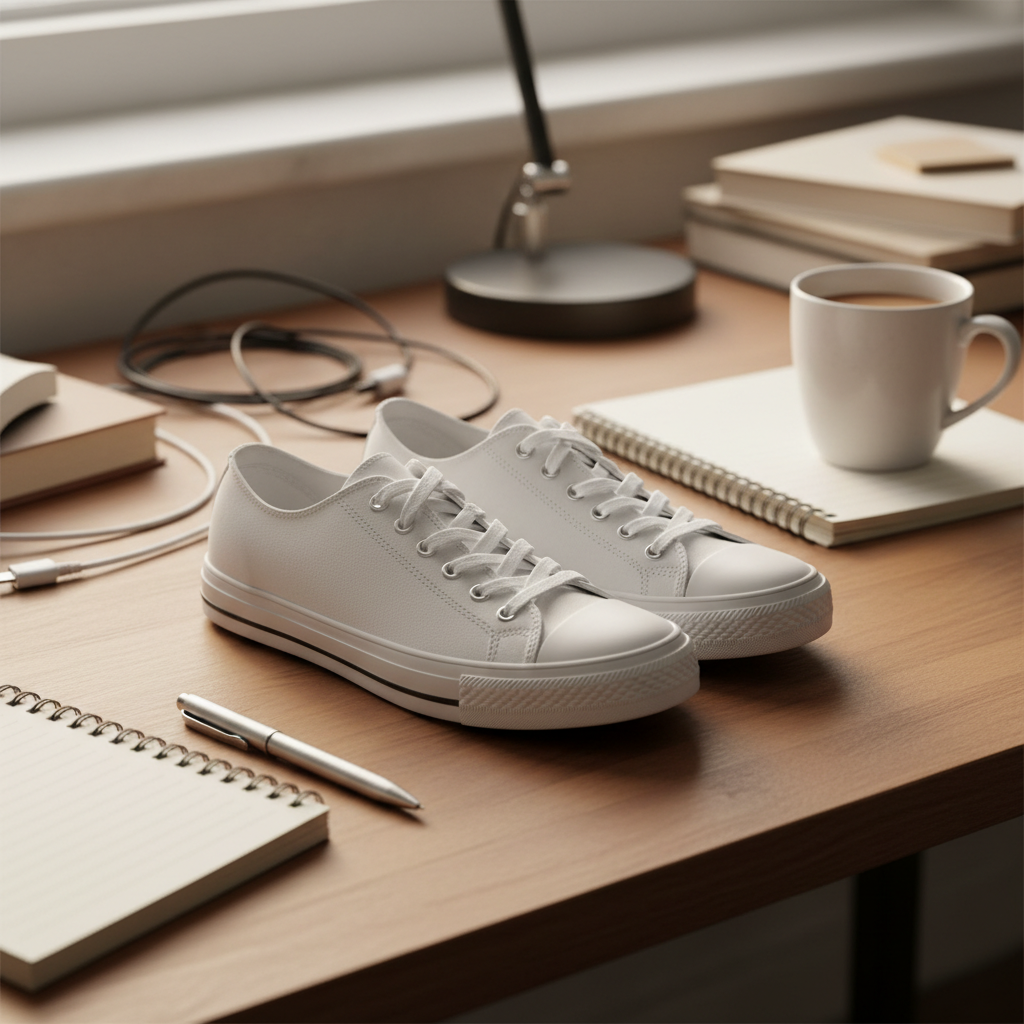
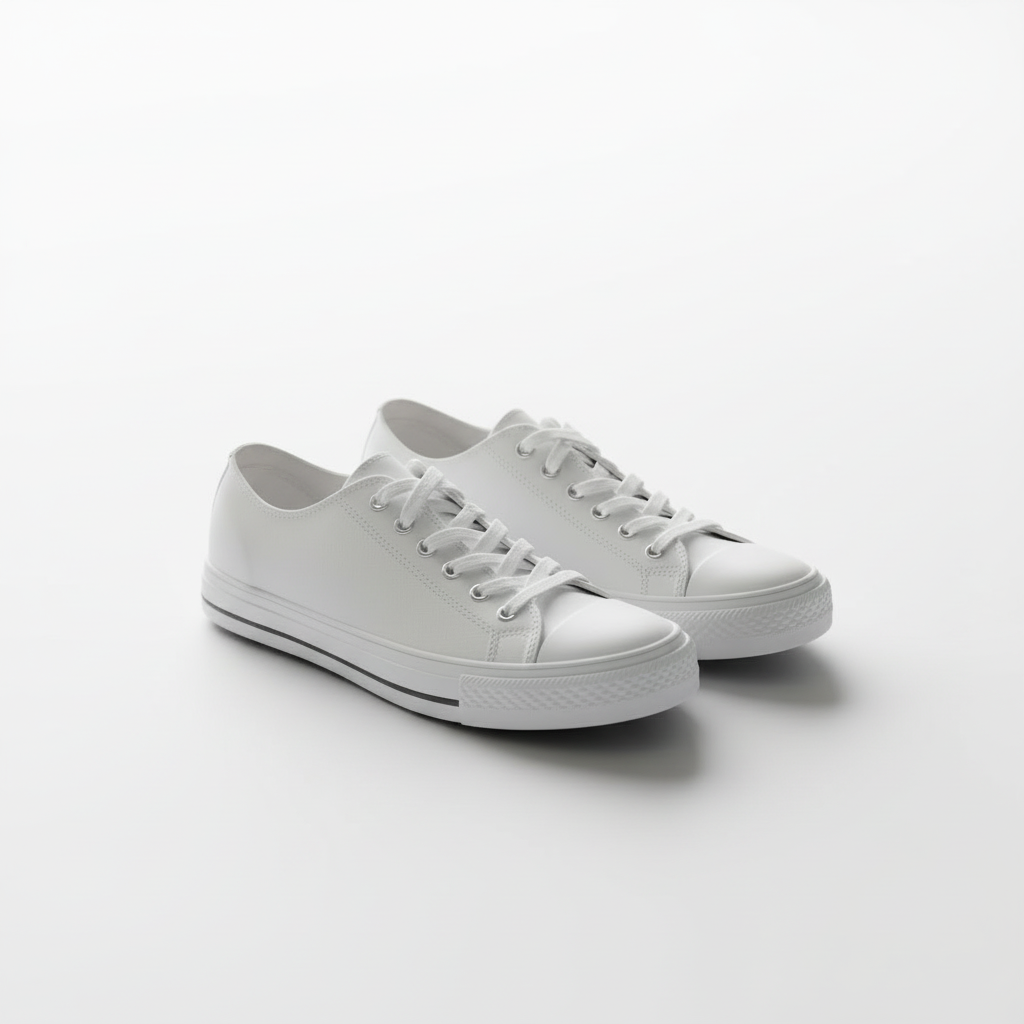
CRITICAL: Keep the product EXACTLY the same (shape, design, color, materials, laces, stitching). Do NOT change the sneaker design in any way. ONLY CHANGE: Remove the background completely and place the product on a pure white seamless studio background (#FFFFFF). No text, no watermark.
Nano Banana Img2Img (image-to-image) lets you edit a photo using a text prompt while preserving key details like identity, pose, and composition. Try 1 free generation — sign up optional. Sign up to get 3 more free credits.
What Nano Banana Img2Img excels at
Powered by Gemini 2.5 Flash Image, Nano Banana handles these img2img tasks exceptionally well:
Character Consistency
Keep the same face, hair, and identity while changing style, outfit, or background.
Learn moreCombine Photos
Merge elements from multiple images into a single coherent scene with matched lighting.
Learn moreLocal Edits
Change specific parts (outfit, background, objects) without affecting the rest of the image.
Learn moreHow to use (3 steps)
Upload a photo
Clear subject, good lighting, 1024x1024+ recommended for best results.
Paste a recipe prompt
Copy one of the recipes below and adjust the variables (style, background, outfit).
Generate
Click Generate. If the result is off, use the troubleshooting tips below to refine.
Prompt Recipes
Copy a recipe, replace the [brackets] with your specifics, and generate.
Keep identity, change outfit
CRITICAL: preserve the same face, hair, skin tone, pose, background. ONLY change clothing to: [new outfit]. Photorealistic fabric texture, consistent lighting, seamless transitions.Background swap (keep subject)
Preserve the subject exactly. Replace only the background with: [new background]. Match lighting direction and color temperature. No artifacts around edges.Style transfer (subtle)
Keep identity and composition. Apply a subtle [style] look: [style notes]. Maintain realistic skin texture and natural shadows.Cinematic variation
Cinematic lighting, shallow depth of field, realistic textures. Keep subject unchanged and preserve composition. No text.Product photo (white background)
Keep the product exactly the same. Remove the background and place product on a pure white background. Preserve edges and true colors. No text, no watermark.Combine two photos
Use Image 1 as the base. Add [object/person] from Image 2 naturally. Match lighting, scale, and perspective. Seamless integration.Seasonal transformation
Transform to [season] scene with appropriate colors and lighting. Keep subject and composition unchanged. Natural atmosphere.Interior/Room redesign
Keep the room layout and perspective. Change furniture style to [style]. Match lighting and maintain realistic proportions.Popular img2img workflows
Virtual try-on is one of the most popular image-to-image workflows. Explore dedicated guides for optimized results.
Common issues and fixes
Result doesn't look like the original person
Fix: Add stronger constraints: "EXACT same face, hair, skin tone, pose"
Background changed when you only wanted outfit change
Fix: Add "DO NOT modify background" and specify "ONLY change [specific thing]"
Edges look messy or have halos
Fix: Add "clean edges, no halos, no cutout artifacts, seamless transitions"
Lighting doesn't match
Fix: Add "match original light direction and color temperature"
Image-to-image vs image editing
Both features are available in Nano Banana, but they serve different purposes.
Use Editing For:
- Precise changes: remove a specific object
- E-commerce: pure white backgrounds
- Corrections: fix lighting, remove blemishes
- When subject must stay exactly identical
Use Image-to-Image For:
- Creative variations: different styles, moods
- Dramatic transformations: cinematic looks
- Exploring options: multiple variations
- When you want AI to be more creative
Need precise edits like removing backgrounds or objects? See AI Image Editing prompts (remove background & objects) →
Related Resources
Frequently Asked Questions
Quick answers to common questions about Nano Banana image-to-image
Image-to-image (img2img) uses your uploaded photo as a starting point to generate new variations. Unlike text-to-image which creates from nothing, img2img preserves elements you specify while transforming others — style changes, mood shifts, background replacement, and more.
Image editing makes precise, controlled changes (remove object, exact background color). Image-to-image creates artistic variations and transformations. Use editing when you need exact control; use img2img when you want creative exploration. Both are available in Nano Banana.
Include explicit constraints in your prompt: 'keep the same person exactly', 'preserve identity and pose', 'maintain original composition'. The more specific you are about what should stay the same, the better. For portraits, also add 'no face changes' and 'natural skin texture'. Use fewer constraints for more creative freedom.
Use clear, well-lit images with the subject prominently visible. Resolution of 1024x1024 or higher works best. Avoid heavily compressed images, blurry photos, or obscured details. Quality in means quality out.
Most transformations complete in 10-15 seconds using Gemini 2.5 Flash Image (Nano Banana). Complex variations may take slightly longer.
Yes! Try 1 free generation — sign up optional. Sign up (email only, no credit card) to get 3 more free credits. That's 4 total free transformations to test the feature.
Yes, all images you generate can be used for commercial purposes. This includes variations created from your own photos, marketing materials, social media content, and client work. You retain full usage rights.
API access is not offered at this time. Nano Banana is available through the web interface only.